Bengali layouts
Avro (phonetic), Jatiyo (national standard) and Probhat, plus Spanish, French, German, Turkish, Portuguese, Italian, Hindi and Arabic.
 VerseBoard
Get the app
VerseBoard
Get the app
A Nothing-style dot-matrix keyboard for Android. Bengali layouts, swipe typing and smart predictions, all in one clean dark interface.
View on GitHub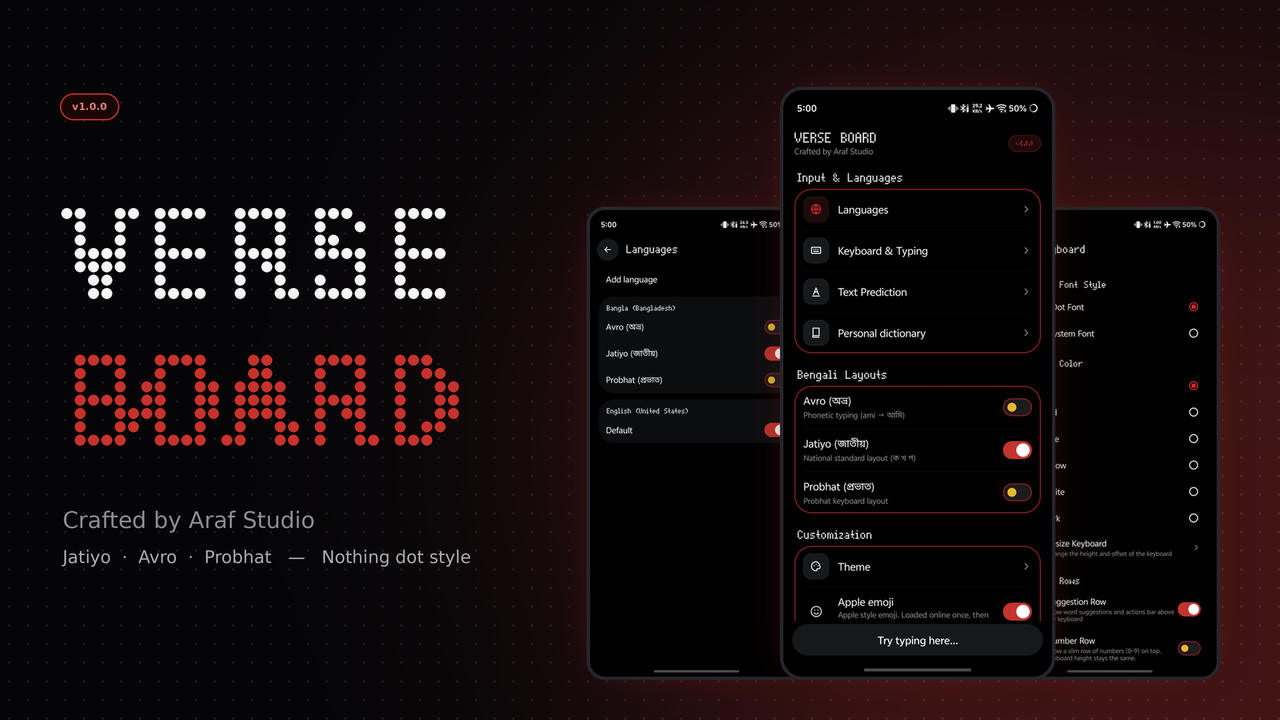
Everything you need to type faster in Bengali and English.
Avro (phonetic), Jatiyo (national standard) and Probhat, plus Spanish, French, German, Turkish, Portuguese, Italian, Hindi and Arabic.
Every key drawn in dot-matrix, with a normal system font option if you prefer it.
Slide your finger from key to key to write words (alpha).
Correction, next-word and personalized suggestions, stored only on your device. Personal dictionary included.
Yellow, blue, red, white and dark keys and spacebar styles, with a resizable keyboard.
Clipboard history, translator, writing tools, scan text, voice typing, one-hand, floating and split keyboard.
Tap any screen to view it full size.
Home screen with languages, keyboard, text prediction and personal dictionary.
Switch between Avro, Jatiyo and Probhat, or add more languages.
Swipe typing, sounds, vibration, clipboard, number row and Nothing Dot font.
Suggestions that learn on your device, with a personal dictionary.
Matte color keys with every letter drawn in dot-matrix.
Translator, clipboard, themes, text editing, writing tools and split keyboard in one menu.
Pick the build that matches your phone. Both are free and open source.
For modern and good devices running Android 7.0 and above.
Download APK VerseBoard1.0.0-Android7+.apkFor old and low-end devices running Android 5.0 – 7.1.
Download APK VerseBoard1.0.0-lite.apkNot sure which one? Phone from 2017 or later: take Android 7+. Older or slow phone: take Old devices.